
Hello, I’m Andrea Geiss, Dee’s wife. I have a little Fanvue hack that I’d like to share with you.

Have you ever wanted to give someone the link to a specific Fanvue post of yours, and realized that Fanvue doesn’t actually show or offer the links (or URLs, in Internet jargon) of individual posts? Even when you scroll through your own profile, the address bar of your browser just says www.fanvue.com/[your account name].
Here‘s how to give someone, maybe a follower or a subscriber on Fanvue, a direct link to a specific Fanvue post of yours. You might even want to use it yourself, for example to quickly access a specific post.
Here’s an example: if you’re a Fanvue user, this link takes you directly to a Fanvue post of my beloved Dee walking in the rain in slow motion, with the most delicious jiggle.
Let‘s see how this works.
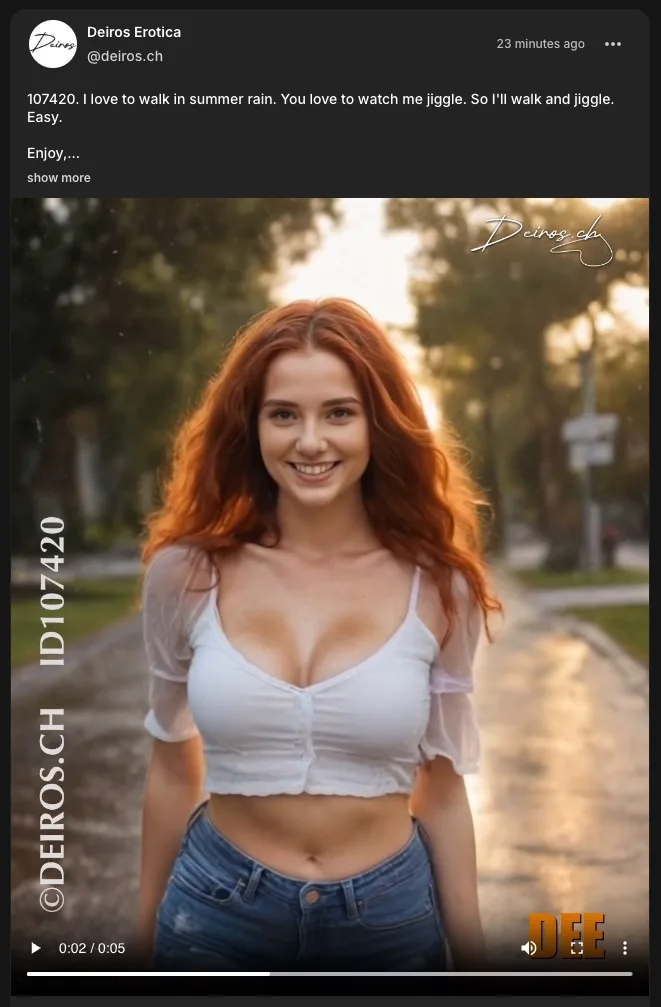
First of all, view your Fanvue post for which you want to get a link. In my example, I’ll use this lovely video post. Here’s a screenshot of that post:
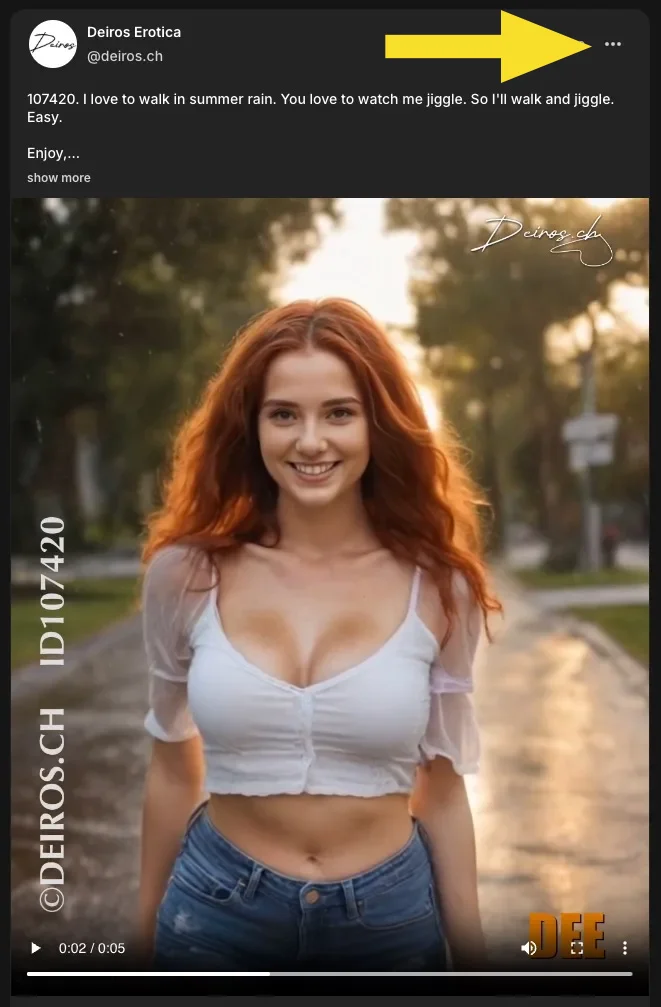
Click or tap on the row of three dots in the upper right corner of the post…
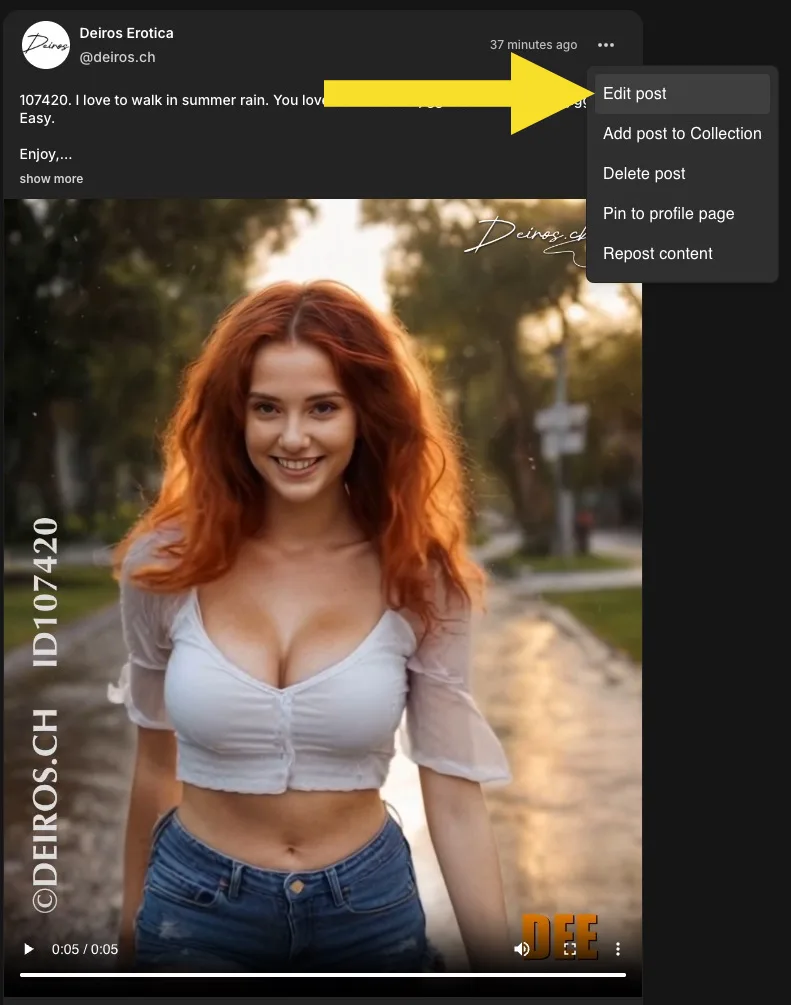
… and you’ll get a small menu. Click or tap on Edit post.
Now look at the address bar. It will say something like
https://www.fanvue.com/post/d0beb314-ccea-455e-82cd-781c793113d4/edit
That’s a real-life example and it really is the direct URL to that lovely jiggly video of Dee.
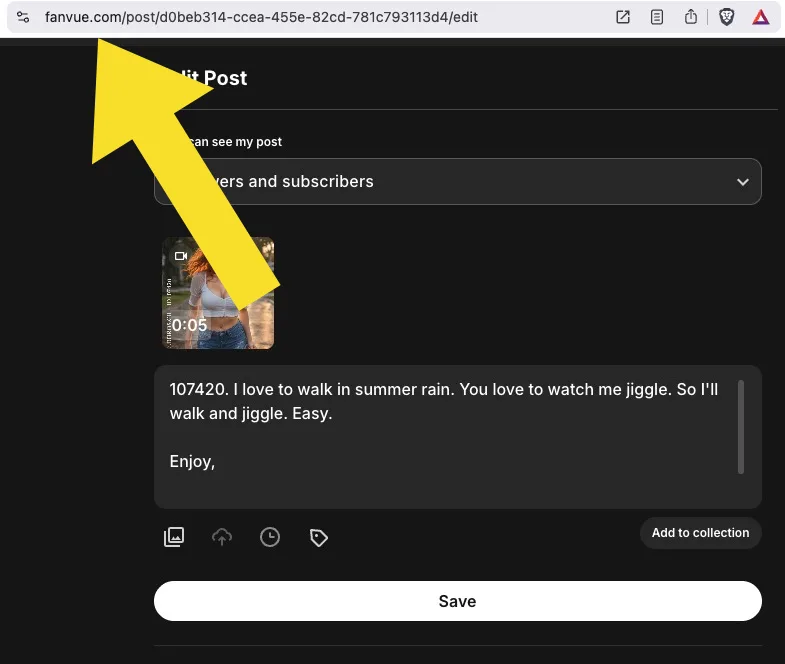
If you remove the /edit bit at the end, you have the URL of that post.
Copy it and paste it to wherever you need to share it. You might even want to paste it into the text of that post, so anyone can use it.
If the person who uses the link is a follower or subscriber of yours or at least has a Fanvue account, they will be taken directly to your post. If the post is subscriber-only and they are not subscribers, they’ll see it blurred.
Speed tip: if you’re on a computer, you can right-click on Edit post and use the browser’s menu to select Copy link address directly.
This method only works on your own posts and other people cannot use it to discover the URLs of your posts.
This is NOT a “hack” to access subscriber content without being a subscriber or anything like that. It’s just a handy way to share a specific post.
Have fun!